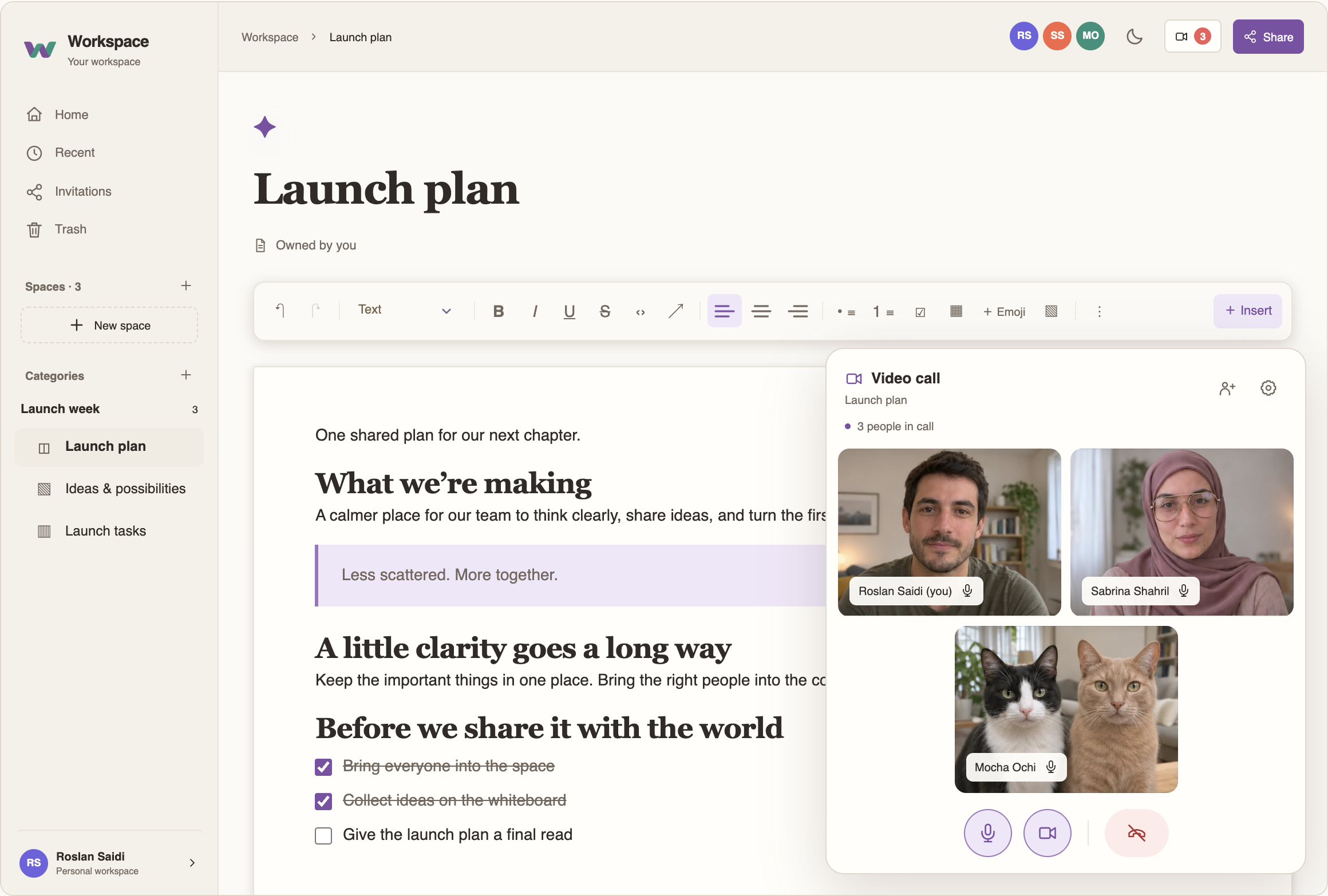
Workspace: Part 2 - Bringing video calls into Workspace
Talk, share ideas, and work together without leaving your shared space. Here's how I added video calls to Workspace using LiveKit and WebRTC.

Roslan Saidi
Work is not always about typing messages or writing things down. Sometimes, it's easier to jump on a call and discuss things together.
So, I added audio and video calls to Workspace.
Now, members can talk while working on the same document, whiteboard, or task board. No need to switch between different apps just to discuss an idea.
Let's start a call
The video button shows how many people are currently in the call. You can also see who is there before joining.
Using a phone? The button is available under "More → Video call".
Opening the call panel does not turn on your camera or microphone. Everything stays off until you choose to join.
You can also minimise the call and continue working in other spaces without disconnecting.
A few things to know:
- You need to be a member of the space to join its call.
- Invitations must be accepted before joining.
- Each user can only join one call at a time.
- If someone is already in another call, their status will show as "User is busy".
How it works behind the scenes
I used LiveKit to handle audio and video calls. Under the hood, it uses WebRTC to send live audio and video between users.
The app checks whether a user is a member of the space before allowing them to join. Once approved, LiveKit takes care of the media connection.
The interesting part is that calls work separately from individual space pages.
This means you can move between spaces, open another document, or check your task board while staying connected to the same call.
Meanwhile, shared editing continues to work through the existing system.
What about performance?
Video calls use quite a lot of network and device resources.
The more people who turn on their cameras, the more data needs to be sent and processed. Call quality also depends on internet speed, device performance, video quality, and server resources.
There isn't a fixed number of users that guarantees a smooth call.
For larger groups, I'll need to run more tests before increasing the call limit.
Give it a try
Have something to discuss? Try Workspace with a friend or teammate.
Open a shared space, invite someone, and start a call.
Write down your ideas, sketch something on the whiteboard, or turn your discussion into tasks. Everything happens in one place.